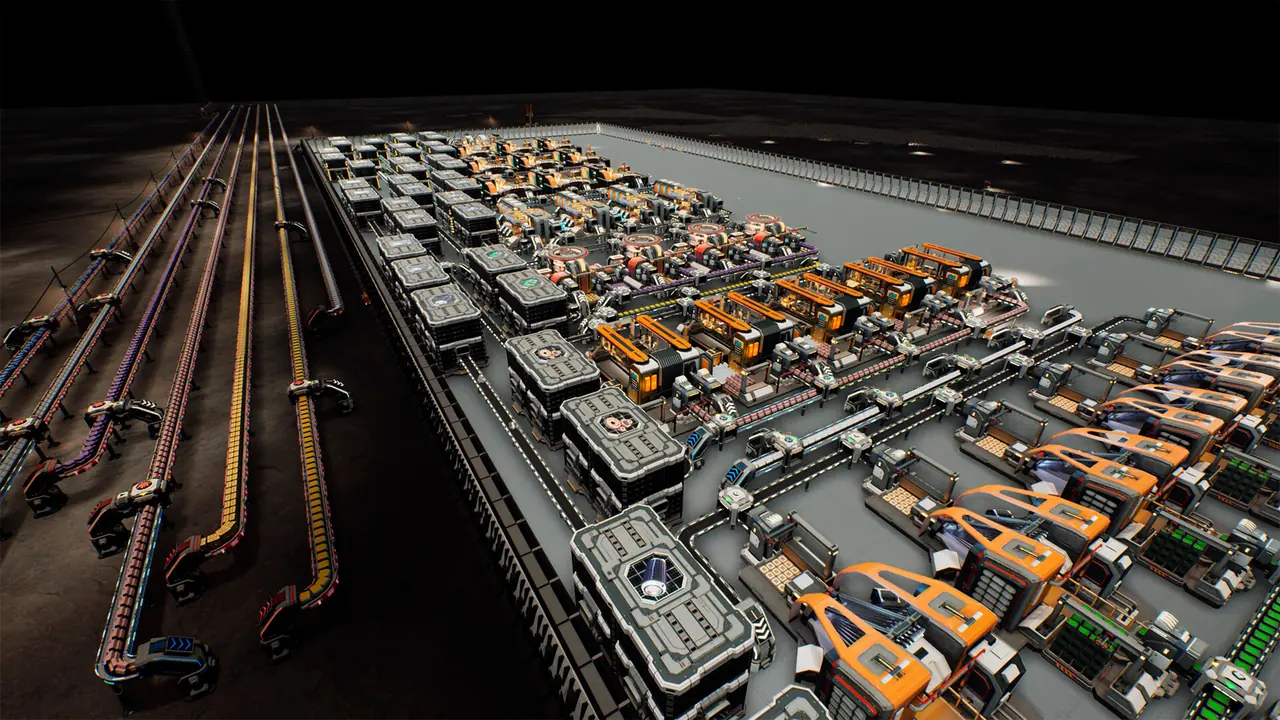
The Crust's frame rate was rebuilt in two separate passes, and both are documented by the developer rather than estimated by players. April 2026's conveyor rework produced "approximately double" the previous frame rate. 1.0 then rewrote the logistics calculations and the rendering path, which the developer summarised as "A clean +30-50% FPS" and, on the largest bases, "100-200%". Those numbers are quotes, not benchmarks — and every one of them comes with the same caveat: "The exact increase in FPS depends on your device's specifications."
- April 2026 pass
- ≈2× FPSConveyor rework
- 1.0 logistics pass
- +30–50% FPSDeveloper's figure
- On large bases
- 100–200%Developer's figure
- Hotkeys
- CustomisableSince the 2023 demo
- Official workaround
- None neededFor performance
- Measured by us
- NothingAll figures quoted
Two optimisation passes, and why the numbers do not add up to one
If you go looking for “the” performance figure for The Crust you will find at least four, all official, none of them equivalent. Worth laying them out before anything else, because averaging them produces a number the developer never stated.
| Source | Date | The claim, verbatim |
|---|---|---|
| Big FPS and QoL Update | 29 Apr 2026 | “resulting in a significant increase in FPS—on average, approximately double that of the previous version” |
| Pre-launch post | 9 Sep 2026 | “that’s where the up-to-50% performance gain on large bases comes from” |
| 1.0 release post | 10 Sep 2026 | “A clean +30-50% FPS.” |
| 1.0 release post, on rendering work | 10 Sep 2026 | “we got a significant FPS boost: 100-200% on large bases, and the weaker your PC, the bigger the gain from the optimization” |
Three observations, and they matter more than the numbers themselves.
The April pass and the 1.0 pass fixed different things. April attacked the conveyor system — specifically how resources were drawn in warehouses and on belts, plus automatic merging and splitting of conveyor sections. 1.0 attacked the logistics algorithms — “we reworked the logistics algorithms, added distance-based calculations, and improved warehouse-to-warehouse calculations” — and separately took a pass at rendering, reducing draw calls and optimising polygon counts and level-of-detail models. A conveyor fix and a calculation fix can both be large and still not be additive.
“+30–50%” and “100–200%” are in the same section and are not the same measurement. The first is attached to the logistics rework; the second follows the rendering paragraph and is explicitly scoped to large bases. If you are trying to predict your own gain, the useful reading is that the bigger and more belt-heavy your base, the closer you sit to the second number — which is exactly what the developer says in the surrounding sentence.
The weak-hardware line cuts both ways. “The weaker your PC, the bigger the gain” is genuinely good news for people on older machines and genuinely anticlimactic for people on new ones. It also tells you what kind of optimisation this was: reducing per-unit-of-time work — draw calls, polygon counts, recalculation frequency — which disproportionately helps machines that were already struggling.
There is one more official statement worth keeping separate from the frame-rate claims, because it is about a different resource: “RAM usage has been optimized, the required amount of memory has been reduced, and the minimum PC requirements have been lowered.” Memory and VRAM work appears repeatedly in the log rather than once — the April patch “optimized loading of heavy UI assets and reduced VRAM usage on empty levels,” May’s patch “Optimized VRAM usage in the research tree,” and 1.0 also “Save file size on large bases has been optimized.” If your complaint is memory rather than frame rate, that is the line of fixes to read.
The settings that officially exist
Here is where most guides on this subject start guessing. We are not going to, so this table lists only settings that an official patch note names. Everything on it can be traced to a dated announcement.
| Setting or control | What official text says | Source |
|---|---|---|
| Hotkeys / key remapping | “Hotkeys have been added for all main functions and menus, and you can customize them in the game settings.” | 1.0 release post |
| Hotkey setup in the settings menu | “Added new hotkey setup options it the settings” | Demo Hotfix 80.468, 25 Jan 2023 |
| Free-camera rotation key | “Introducing a new option to customize the hotkey for free camera rotation (Middle Mouse Button).” | Patch 0.90.35, 25 May 2024 |
| Wiring tool button | “Now you can set a specific button for the Wiring tool (Default: C).” | Patch 0.90.35, 25 May 2024 |
| Module-setting copy and paste keys | “Changed hotkeys for copying module settings: Shift+RMB to copy, Shift+LMB to paste.” | Patch 0.99.63, 11 Feb 2026 |
| Settings menu layout | “Improved the settings layout.” | Hotfix 1.0.6 |
| Audio settings | “The credit deduction sound is now linked to the audio settings.” | Hotfix 1.0.6 |
| UI scaling | “Limited the UI scaling range.” | Hotfix 1.0.8 |
| Underground object shading | “Adjusted the shading settings for underground objects.” | Hotfix 1.0.9 |
| Game speed (controls menu) | “Fixed the name of the speed setting in the controls menu.” | Hotfix 1.0.12 |
| Conveyor direction key | “you can now see the conveyor’s direction, which can be changed with the V key” | 1.0 release post |
| Clear a conveyor’s contents | “the ability to quickly clear resources from a conveyor by hovering over it and pressing the M key” | Patch 0.99.95 |
The four rows dated before 1.0 are there deliberately: the common claim that this game’s controls only became configurable at launch is wrong, and the patch log shows a settings-menu hotkey option as far back as January 2023. | Universal demolition key | “Changed territory removal from double-click to hold action.”; “The ability to remove roads using the Universal Demolition tool” | Update 3; Hotfix 1.0.6 | | Interface navigation | “Various UI/UX improvements, such as backing out of any window with Esc and RMB.” | 1.0 release post | | Skip a cutscene (macOS) | Hold the Space bar for 5 seconds — added as a workaround for a macOS black screen issue | Hotfix 1.0.6 |
Two things are worth noticing about that table, because both are more useful than a copied options list.
The settings menu is real but tiny in the official record. Six of the eleven rows are late fixes or additions — the layout was improved in September, the UI scaling range was limited rather than expanded, and a setting’s name was wrong until 12 September 2026. This is a menu the developer has been actively editing during the launch window, not a mature and heavily documented one. Anyone listing twenty graphics toggles for this game is describing something the patch history does not corroborate.
The most valuable controls are hotkeys, not sliders. The V key for conveyor direction and the M key for clearing a conveyor are the two that change how quickly you can diagnose a production problem — which is precisely the workflow our conveyor and logistics page is built around. If you have not remapped anything yet, the game’s own documentation of these two is the place to start.
Searches that lead nowhere
These terms are searched often for this game and appear zero times in the developer's entire official announcement history — all 147 posts:
motion blur · VSync · DLSS · FSR · upscaling · anti-aliasing · lag · stutter
Read that correctly: it is not evidence that these options are absent from the game's menu. Patch notes mention settings when something changes or breaks, so a stable toggle would never show up. It is evidence that no update has ever touched them — and that the guides confidently telling you which of them to disable are not drawing on the developer's words.
Two related terms behave differently, and both are worth knowing before you run your own searches. hotkey appears six times as a singular word across eleven official posts spanning January 2023 to September 2026 — the earliest is the demo hotfix of 25 January 2023 — which is why this page states that hotkeys predate 1.0 rather than arriving with it. The word keybind appears zero times, even though rebinding is described in the notes in plain language. And lag looks like it appears about fifty times: every one of those is the game's waste material, slag, in refining and recycling recipes. As a whole word, "lag" is genuinely absent.
Our whole-word count across all 147 official Steam announcements for app 1465470, retrieved in full on 22 September 2026.
Official system requirements, current as listed
The store listing publishes three separate requirement blocks. These are the current minimums for app 1465470, and the developer states that 1.0 lowered the PC minimums — so any requirement list you find quoted from an Early Access era article may be higher than the one that applies today.
| Windows | macOS | Linux | |
|---|---|---|---|
| OS | Windows 7 64-bit or newer | macOS 10.15 Catalina or newer | Ubuntu 20.04 LTS 64-bit or newer / SteamOS |
| Processor | Intel i5-4590K or equivalent AMD hardware | Apple M1 or Intel Core i5 (Quad-core, 2.5 GHz) or Intel only | Intel i5-4590K or equivalent AMD hardware |
| Memory | 8 GB RAM | 8 GB RAM | 8 GB RAM |
| Graphics | GeForce 1060 or equivalent with 6 GB of video RAM | Apple M1 or Metal-capable dedicated GPU with 4 GB VRAM (Radeon Pro 560X or better) | GeForce GTX 1060 6GB or Radeon RX 580 8GB (Vulkan 1.1 support required) |
| Storage | 8 GB available space | 8 GB available space | 8 GB available space |
| Notes | 64-bit processor and OS required | Metal support required; integrated Intel graphics not supported; runs via Rosetta 2 on Apple Silicon | Vulkan-capable GPU and up-to-date proprietary NVIDIA / Mesa drivers required |
Two details in that table are the ones people actually trip over. On macOS, integrated Intel graphics are explicitly not supported — that is the developer’s own wording, and it is a hardware floor rather than a performance warning. And on Linux, Vulkan 1.1 is a requirement, not a preference, with the store listing naming SteamOS as a supported base. If you are on an old Mesa driver, that is the line to check before anything else.
The store’s platform flags are worth a note here too, because they disagree with the developer’s announcement: the API still returns Linux as unsupported while the announcement states the port shipped and a Linux requirement block is published. We treat the announcement and the published requirements as authoritative, which is the same call we explain on our platforms and price page.
When the slowdown is one screen, not the whole game
A general performance page that ignores this would be incomplete, because two of the most-reported performance complaints about this game were isolated defects, not load problems.
Hotfix 0.99.85.1 pairs them neatly:
Fixed an issue causing visual glitches and artifacts on AMD graphics cards. Fixed an FPS drop in the research window.
The pattern matters more than the fix. A frame-rate collapse confined to the research tree, or artefacts on one vendor’s cards, tells you nothing about whether your machine can run the game — it tells you a specific screen or code path is broken. The research window case is the clearest example: the same log shows “Optimized VRAM usage in the research tree” in a separate patch, so this was an area the developer had to work on more than once.
The practical test is simple. If the game runs acceptably everywhere except one screen, the problem is that screen. Check the fix log on our troubleshooting page before you start turning settings down, because in both of these cases there was no setting that would have helped.
A realistic expectation, stated the way the developer stated it
Put the official text together and you get a picture that is more useful than any synthetic benchmark.
Launch-window builds are still moving. 1.0 released on 10 September 2026, and eight patches followed by 19 September. Some of those touch performance-adjacent systems — shading settings for underground objects, ground-layer visual glitches on AMD, UI assets — so if your impressions of the game’s performance come from the first week of launch, they describe a build that no longer exists.
The gains are concentrated where the work was done. The developer is unusually specific about the culprit: logistics recalculation on large bases, and the rendering of resources on belts and in storage. A small, tidy base with few belts was never the problem, and its owner should expect little from these patches.
The weakest machines gained the most. “The weaker your PC, the bigger the gain” is the single most decision-relevant sentence in the whole optimisation record. It means the 1.0 logistics work is not a visual upgrade with a performance bonus attached — it is a performance repair aimed at hardware that was struggling.
If you only remember one thing
There is no official list of graphics settings for this game, and anyone publishing one is filling a gap the developer left. What is documented is where the load lives: logistics recalculation on large bases and resource rendering on conveyors and in storage. So the honest first move is not a slider — it is the V key and the M key, a look at which of your belts are backed up, and a check of the fix log for your build version.
Where this leaves you
Three things to carry forward. The performance work happened in two passes with different targets — conveyors in April 2026, logistics algorithms and rendering at 1.0 — and their figures are not additive, so do not expect “+30–50%” plus “double” to be your result. The settings confirmed by official text are a short list, dominated by hotkeys rather than graphics toggles, and the most useful two keys are V and M. And two of the loudest performance complaints in this game’s history were isolated bugs, one affecting AMD cards and one affecting a single window, both fixed by patch rather than by configuration.
What we have not done is give you recommended graphics settings. Every guide that does is guessing, and the patch history is the evidence: the developer has documented this game’s performance in the language of algorithms, draw calls and recalculation frequency — never in the language of a recommended preset.