Contracts are The Crust's main income system and its main source of pressure, and almost every "my contracts are broken" report resolves into one of three layers: a filter you left on, an access condition you have not met, or one of the five separate display bugs the developers have fixed since Early Access. The access rules are more interesting than the bugs, because two of them — reputation-gated availability and per-organisation conditions — mean the contract list you see is a filtered view of a larger one you cannot see.
- Availability filter
- By reputationSince Update 0.99.85
- Org access
- Conditional5 orgs at introduction
- Urgent contracts
- Story, not commercialOfficial phrase quoted
- Barter deals
- Via point of interestNot a menu
- Auto-loading
- Via Multi-StorageResearch required
- Launch Station gate
- Changed twiceNarrowed, not removed
Why your contract list is empty
Start with the cheapest explanation and work outward, because the cheap ones are the most common.
An active filter. A 0.99.93 hotfix records fixing “a bug where in some cases contracts wouldn’t appear in the active tab until filters were reset.” That sentence describes a real trap: the contracts existed, the list was filtered, and nothing on screen explained why the list was short. Contract filters are a feature the developers added deliberately — the same update cycle introduced a filter “that shows only the contracts available at your current reputation level with an organization” — so a filter is not an error state, it is a normal state that can silently hide the contract you are looking for.
An access condition you have not met. This is the substantive mechanic and it gets its own section below.
A display bug on an old build. The developers have fixed contract-list visibility at least four times:
| Version | What was fixed |
|---|---|
| 0.99.85.3 | “active contracts might not be displayed” |
| 0.99.85.4 | “contracts could sometimes appear duplicated in the logistics window” |
| 0.99.93 | didn’t appear “until filters were reset”; “contracts from SCT Ltd wouldn’t appear” |
| 0.99.95 | “contracts would not appear in the active list” |
| 1.0.6 | Esc during an urgent story contract blocked progression |
| 1.0.10 | “the timer for a completed contract would rarely fail to disappear” |
That is a six-entry list, and it is worth reading as a pattern rather than as trivia: the contract list is the single buggiest interface surface in this game. If you are troubleshooting an empty or stale list and you are not on a current build, patch first and diagnose second.
The contract does not exist for you yet. Update 3 added a quest whose stated purpose was introducing “one of the factions (previously unavailable in the contracts list).” The wording is precise — the faction’s contracts were unavailable because the faction had not been introduced, not because of reputation or a bug. Some of your list is gated behind story progress, and no amount of standing will open it early.
Organisation access is conditional, and that is deliberate
This is the mechanic that surprises players most, and the developers signposted it clearly when they shipped it.
Access to some organization contracts is now unlocked after meeting certain conditions.
The announcement is more forthcoming about the reasoning than the rule: “Speaking of organizations, cooperation with some of them will now require meeting certain conditions (no spoilers!). In this update, this mechanic applies to 5 organizations, with more to follow by the full release. Connections don’t come easy :)”
Three things follow from that paragraph, and only the first is obvious.
Five organisations were gated at introduction, with more planned. So a contract list that looks arbitrarily incomplete is expected behaviour, not a fault.
The conditions are not published. The developer explicitly withheld them — “(no spoilers!)” — which means any site claiming to list the exact requirements for each organisation is either datamining or guessing. We are not listing them.
The gate is separate from reputation. Reputation controls which contracts are visible through the availability filter. Access conditions control whether an organisation will deal with you at all. Those are two different doors, and satisfying one does not open the other. A player with excellent standing can still find an organisation refusing to talk.
The 1.0 notes add the third lever, and it is the one that pays out twice: “How many Organizations will help with building the laser cannon and the interstellar ship, and to what extent, now depends on reputation.” So reputation is not only a contract availability key — it also buys physical aid on the two late megaprojects.
Urgent story contracts, and the Esc key
The phrase worth knowing here is the game’s own, and it appears in a fix rather than a feature description.
Hotfix 1.0.6 addressed “an issue where pressing Esc when an urgent story contract appeared prevented the quest from progressing.”
Two mechanical facts can be read out of that single sentence, which is why it is worth quoting in full rather than paraphrasing.
Urgent contracts are story contracts. They are not a separate commercial tier or a difficulty setting. When the story needs something immediately, that is what an urgent contract is.
They interrupt you with a prompt, and dismissing it could break the quest. The fact that pressing Escape was able to stall progression tells you the prompt is modal — it takes focus, and it expects an answer. The fix means this specific interaction is repaired on current builds, but the underlying design is unchanged: an urgent story contract is a thing you respond to, not a notification you swipe away.
Hotfix 1.0.10 adds a related fix about contract state lingering in the interface: “the timer for a completed contract would rarely fail to disappear.” Together, these two describe an interface that tracks a live contract across several states — incoming, awaiting response, in progress, completed — with a timer attached throughout. When it goes wrong, the symptom is a stale timer rather than a missing contract.
Barter contracts are a location, not a menu
Barter is easy to miss because it does not live where the other contracts live. Official text describes both the intent and the access route:
To add more variety to contract mechanics, we’ve introduced barter deals. These offers are accessed via a point of interest with different requests as you progress through the game.
So barter offers come from a point of interest on the map, and the requests change as you progress. If you have been looking for them in a contract window, you have been looking in the wrong place.
The 1.0 notes confirm the feature grew: alongside other global-map additions, “New barter points of interest added to the global map.” So there is more than one, and more than one type of request.
There is also a bug history worth knowing, because it explains a category of frustration. 0.99.87 records fixing “a bug that prevented completing barter contracts,” and 0.99.90 records fixing the same thing again — “Fixed once again the bug where barter contracts weren’t working.” A third fix, in 0.99.85.4, is the most instructive: “collecting resources from a barter point of interest with a capsule would add money instead of subtracting it.”
That third one is a pricing inversion, and it tells you how the interaction is implemented — you deliver resources via a capsule, and the transaction resolves against your resources. If a barter is behaving inexplicably, that history is the first thing to suspect on an older build.
Do you need a Launch Station? The rule moved twice
This is a good example of a mechanic whose documentation is a patch history rather than a description, and the two entries point in opposite directions if read carelessly.
| Version | Change |
|---|---|
| 0.99.89 | “Added a block on the accept contract button if no Launch Station has been built on the base.” |
| 0.99.87 | “Removed the check for a Launch Station when taking a rocket contract.” |
The dates are close enough that this looks contradictory, and the resolution is that the two changes operate at different scopes. The 0.99.87 line is specifically about rocket contracts — the check was removed for that category. The 0.99.89 line adds a general block on the accept button.
The practical reading, and the one that matches the shipping behaviour: the Launch Station gate applies where a contract physically requires shipping, and the blanket version was narrowed rather than deleted. The supporting detail is in the 1.0 notes, which describe an interface change that only makes sense if contracts and transport are tightly coupled — “One-click contract loading” — and in the automation section below, where storage connects directly to contract supply.
So when the accept button is greyed out, read what the contract asks for. If it wants a physical shipment, the Station is your answer. If it does not, look at the filter and the organisation instead.
Automating the load
The automation in this game is storage-driven, which is a design choice worth understanding because it explains why a well-built warehouse suddenly starts serving contracts.
Update 3 introduced “research for Multi-Storage that enables automatic resource supply for contracts and expeditions,” with this description: “Once connected to certain modules, it will automatically open outputs and provide the exact amount of resources required.”
That is a different kind of automation from a scheduler. The storage becomes the supplier, and the connection to the right module is what activates it. So the preconditions are three: the research, a Multi-Storage, and the physical connection.
The 1.0 notes add the interface half of the same idea, listing “One-click contract loading” and describing the broader automation as letting you “Automate the loading of contracts and shipments.” Two supporting features from the same cycle make the picture complete — the ability to name modules, which the notes say “makes it easier to manage capsule and rocket dispatches for contracts,” and a marker for accepted-but-unshipped contracts. That second one addresses a specific failure mode the developer names outright: “Have you ever accepted a contract and then forgotten to send the shipment, losing precious time? Such contracts will now be marked with a special icon reminding you that the goods need to be dispatched.”
If you have ever completed a contract and watched nothing happen, that icon is the feature built for you.
What the mission log shows you
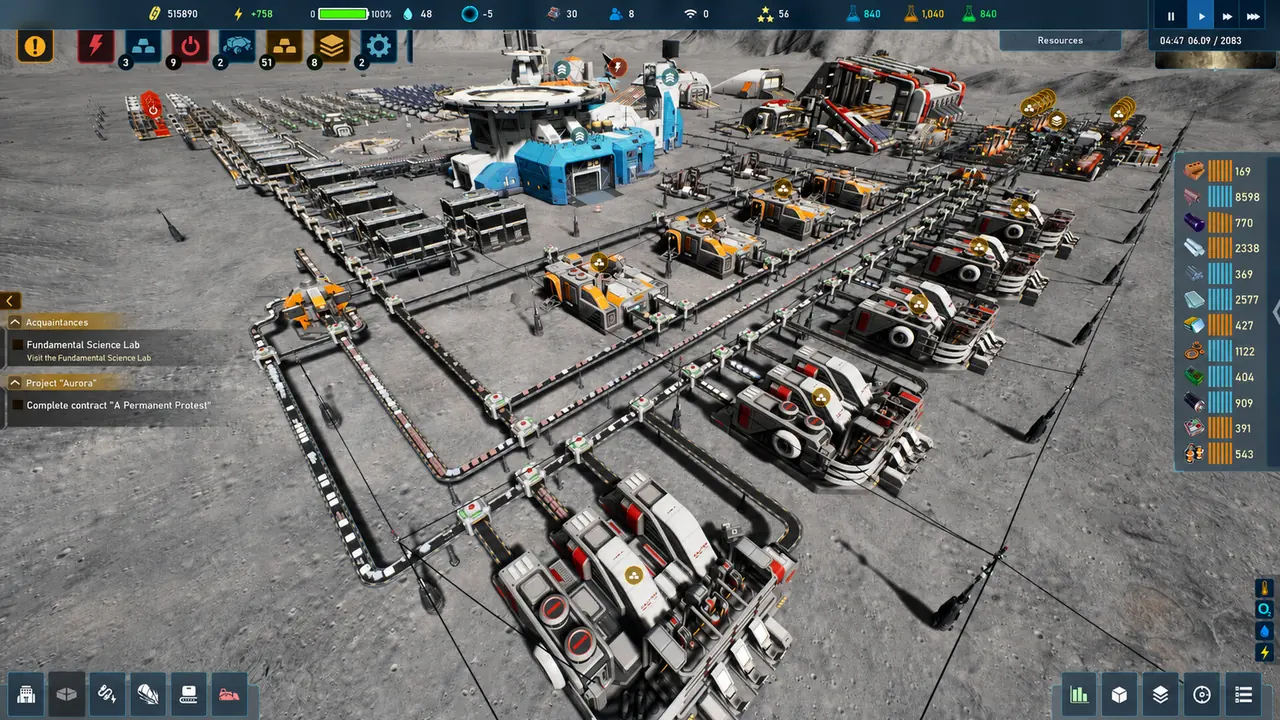
Contract progress does not only live in a contract window. The 1.0 screenshot at the top of this page shows the mission log carrying a contract objective directly:
- Category: Acquaintances
- Objective: Fundamental Science Lab — “Visit the Fundamental Science Lab”
- Objective: Project “Aurora” — “Complete contract “A Permanent Protest”“
Two details are worth extracting. First, contract objectives sit alongside ordinary story objectives in the same list, under the same categories — so a contract can be your current objective without any contract-specific interface being open. Second, contracts have names, and they are quoted in the log. “A Permanent Protest” is a named contract under the Aurora Project.
That last point matters for searching. The contract names in this game are not generic — they are narrative titles tied to story arcs — so a search for a contract name will land on story discussion rather than mechanical advice.
Community-tier: the organisation catalogue
The community wiki maintains a list of the game's organisations, sorted into those that appear in the economy panel and those that do not. It names twenty in the economy panel — among them International Environmental Front, World Relief and Welfare Committee, Malachite Heavy Engineering, FASM, Hygiea NeoGen, SSC South Wind, Society of Metis, UNIVERSE, SCT Ltd., and XSpace — plus CRUST as a separate, non-economy entity.
We are republishing this as a community list, not as an official one. Exactly one name on it has independent official support at a higher tier: SCT Ltd., which appears in an official hotfix that fixed "a bug where contracts from SCT Ltd wouldn't appear." That is a developer confirming both the organisation's existence and its contract system, and it is why the laser cannon page treats the SCT prerequisite as credible while flagging the rest of that chain as unverified.
The reason to know the list at all is that organisation names are what the interface uses. If a contract is locked and names an organisation you have never heard of, this is where it lives.
The cheapest fix, in order
If contracts are missing: clear the filter, then check your reputation standing, then check whether the organisation deals with you, then accept that the contract may be behind story progress. Only after all four should you conclude the game is glitching — and if you are on an older build, patching beats all four, because five separate display bugs in this list have already been fixed.
Where this leaves you
Contracts are where this game’s economy, its reputation system and its story all meet, and the interface represents only part of that. The list you see is filtered by standing, some organisations gate access behind unpublished conditions, urgent story contracts arrive as prompts rather than orders, and barter lives at a point of interest rather than in a window.
The one habit worth building: when a contract will not appear, will not accept, or will not complete, treat the filter and your reputation level as the first two suspects rather than the last. Every single one of the display bugs in that six-entry table above produced a symptom indistinguishable from “I have not unlocked this yet.”