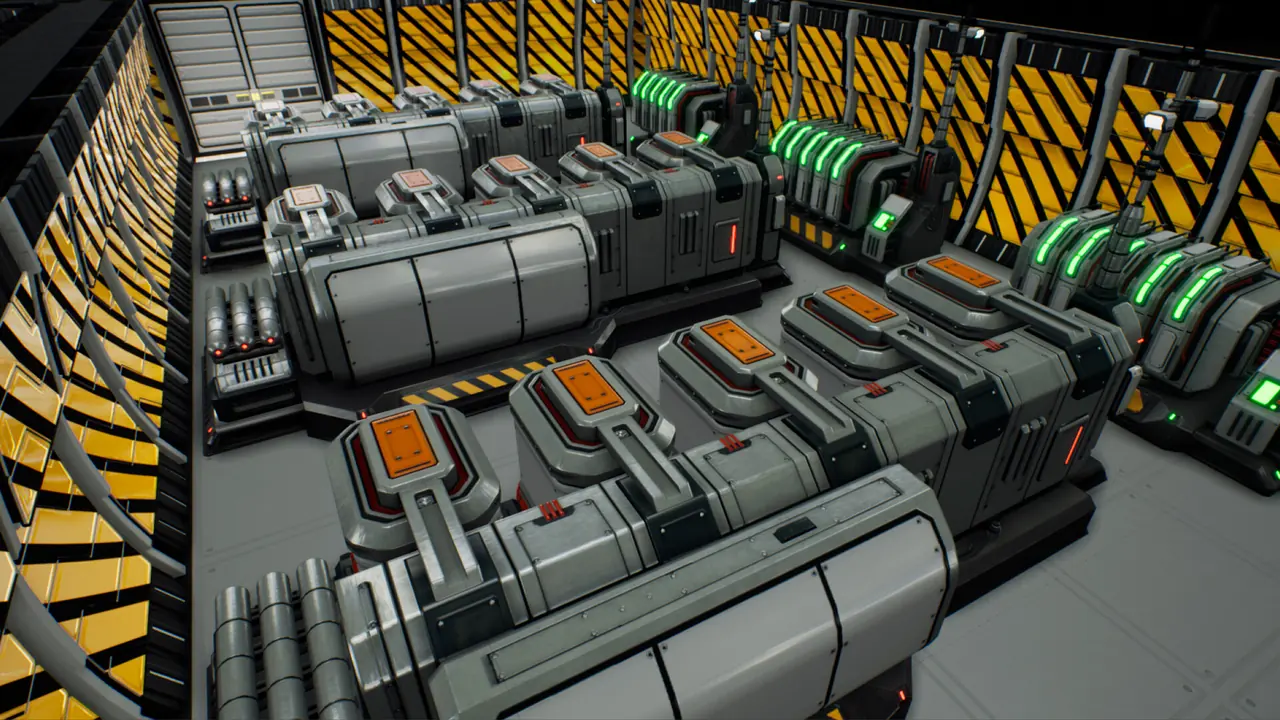
Drones in The Crust are not a resource you accumulate, they are a workforce you schedule — and the resource that actually limits them is CPU, a global cap that modules, vehicles and drones all draw from. That single fact explains the two questions players ask most. "How do I get more drones" is really "how do I raise CPU headroom," and "why are my drones idle" is usually a scheduling problem rather than a shortage. Learn the four priority levels, understand that a stuck task can idle a drone that has nothing to do with it, and the whole automation layer becomes manageable.
- Drone types
- Standard + haulerBuilders and carriers
- Built at
- Vehicle assemblySmall facility
- Real cap
- CPUGlobal, not per drone
- Overload starts
- 21 dronesPer official note
- Top priority
- Super-PriorityFourth level, timed
- Repair node
- ReconfigurationModule destination
Two jobs, two drone types
The Crust’s drone fleet is not homogeneous, and the distinction shows up in the patch notes before it shows up in any tutorial. Official fixes refer to standard drones and to hauler drones separately, and the hauler is the specialist:
“Hauler drones now prioritize heavier loads containing 5 or more resources.”
Haulers exist to move things, and Update 3 tuned them to prefer bulk. The same behaviour was visible earlier as a bug: a pre-release fix addressed “an issue where hauler drones ignored transporting resources in amounts smaller than 5 units” — the five-unit threshold was already the design, it was just being applied wrongly.
Standard drones are the generalists: construction, dismantling, repairs, the ordinary work of keeping a base alive. Official notes refer to drone construction as a 1.0 feature in its own right, which means the fleet itself is built rather than granted.
The practical reading is that haulers and standard drones queue against different work, and a base can be short of one while the other is idle. A production block starved of input is very often waiting on a hauler, not on a builder.
CPU is your real drone limit
If you take one thing from this page, it should be this: drones consume CPU, and CPU is a cap on the whole base, not a per-drone allowance.
The mechanism is visible in how official fixes are phrased. Update 1.0.12 records a fix for “an issue preventing modules that do not require CPU from being moved from Planning Mode to construction when the current CPU exceeds the allowed limit.” The interesting part is the side detail: modules that consume no CPU were being blocked from construction because total CPU was over the limit. The limit is global, and it gates construction itself.
Drone count feeds into that same budget. An official balance note states:
“Slightly reduced the impact of drone count on CPU; overload now starts at 21 drones.”
Read that as a design statement: above a certain fleet size, your drones begin contributing to an overload condition. The developers lowered the impact, which means they were watching it matter. If you are running a large fleet, your drone count is a line item in your CPU budget.
Base CPU then scales outward into the economy in ways that are easy to miss:
| Effect | Official change |
|---|---|
| Colonist recruitment costs | “Increased the growth of colonist hiring cost as base CPU rises by 5-15%.” |
| Contract profitability | “Reduced contract profit depending on base CPU growth by 5-10% in the 400-1000 CPU range.” |
| Difficulty | “Base CPU on medium, hard, and very hard difficulties in the story campaign increased by 25 units.” |
Those three lines together describe a soft economic ceiling. Growing your CPU footprint raises what you pay for people and trims what contracts return in the mid range. It is not a punishment — it is the game making raw expansion less trivially profitable at scale — but it does mean CPU headroom is something you invest in deliberately.
Official text names the CPU Data Center in passing — a fix mentions moving the model of the "Large CPU Data Center", another removed power toggle buttons from CPU data centres, a third added rotation to their fans, and a fourth corrected a text line in the CPU section of the Monitoring and Statistics window. So the building exists, has at least two sizes, and its numbers appear somewhere in a statistics panel.
What official text does not state is its effect. That comes only from the community wiki, which describes it as an indoor complex installed to "increase CPU power to allow control of more modules and units," lists it in the Social category, and attributes a fixed CPU bonus to it.
We are giving you the mechanism from a single source and not the number. The mechanism is consistent with every official mention; the specific value is community-tier and unverified against the live game.
Source: thecrust.wiki.gg community wiki, CPU Data Center page. Community tier — the weakest claim on this page, and the numbers are deliberately not reproduced.
Priorities: four levels, one of which is temporary
Priority is the mechanism that decides who gets served first, and the developers described it cleanly when they introduced the top of the scale:
“Introduced the Super-Priority system - a fourth priority level that temporarily boosts selected modules to the highest priority for a set time.”
Three properties are packed into that sentence. It is the fourth level — so the game models four distinct priority tiers, not three. It boosts selected modules — it is applied per module, not globally. And it is temporary — “for a set time.” A later patch narrowed that window: “The maximum duration of super-priority is now limited to 30.”
The temporary framing is the point. Super-Priority is not a way to permanently reorder your base; it is a way to say this one, now. That makes it the right tool for a module you need finished before a contract window closes, and the wrong tool as a substitute for fixing your underlying priority design.
Around it, the interface has grown a layer of indicators. An official patch added “super-priority indicators in Priority mode when hovering over a module while holding Ctrl, as well as an indicator for the priority of a room under construction.” That tells you two things you can act on: Priority mode exists as a distinct view, and priority can be inspected at the room level, not just the module level.
How drones respond to priorities was itself reworked in Update 3:
“Drones 2.0: improved drone task distribution and how they handle priorities. Most drones will focus on high-priority and super-priority tasks, while the remaining 20–40% are distributed among lower-priority tasks.”
That 20–40% is the most useful figure on this page, because it explains a behaviour that looks like a bug. Your low-priority work is supposed to keep moving — just slowly. If a distant, unimportant task is progressing at a crawl while a priority build races ahead, the system is working as documented. If nothing at all is progressing on low priority, look for a blocked task rather than a priority problem.
Design your priorities before you need them. The four-level system plus a timed boost means you can express intent — this now, these next, the rest eventually — instead of micromanaging. The failure mode is the opposite: setting everything high, which collapses back to everything equal and leaves you with nothing but Super-Priority as a manual override.
A diagnostic order for drones that stop working
Idle or unresponsive drones have a long official paper trail, which is genuinely useful because it means the failure modes are known and mostly fixed. Reading the history as a diagnostic list gives you an order to check in:
1. Is something else holding the task? One of the more revealing official fixes: hauler drones could “reserved a task but failed to execute it, causing standard drones to remain idle as well.” If one drone is wedged on a task it cannot complete, unrelated drones can sit idle behind it.
2. Is the destination reachable? The patch history includes drones stuck on hills, drones stuck at the edge of the map and unable to return, drones that could not pick up a resource from a hard-to-reach spot, and drones that dropped resources near a module instead of delivering them. Reachability is a recurring theme, and a base whose geometry changed recently is the likely suspect: another fix covers rare cases where “a specific arrangement of modules and walls could cause drones and colonists to get stuck.”
3. Is the drone physically stuck in transit? Elevators and level transitions are a known trouble spot. Official fixes cover drones getting stuck in the elevator, drones travelling to the Reconfiguration Module teleporting outside the map, and drones stuck in a “Building” state. The developers eventually closed out the whole category — one patch states it “Fixed all known causes of drones getting stuck, including in saves where drones were already stuck.”
4. Is it a queue backlog rather than a stuck drone? Hotfix 1.0.11 records “Improved drone priority distribution in situations with a large construction queue.” A base with a very long build list can look like a drone problem when it is really a throughput problem — which is exactly when Super-Priority earns its place.
5. Is the module waiting on drones by design? Some modules request drone attention automatically and can stop doing so under specific conditions. An official note explains that “When conveyors are connected to farms and Rare Minerals Refineries, drone maintenance is now automatically disabled, and re-enabled when they become overfilled. This behavior can be changed in the module settings.” That is a feature, not a fault — and the same note tells you where to override it.
There is also a legitimate maintenance destination worth knowing by name: the Reconfiguration Module, which drones travel to. Its existence in official notes about pathing problems confirms it as a physical waypoint in the base rather than an abstract menu.
The automation layer: what actually runs itself
“Drones and automation” is two systems, and the drone half gets more attention than the half that saves more time. What the game can run without you, in official terms:
| Automation | Where it lives | Official basis |
|---|---|---|
| Contracts and shipments | Multi-Storage research | “Automate the loading of contracts and shipments” |
| Resource supply for contracts and expeditions | Multi-Storage research | “it will automatically open outputs and provide the exact amount of resources required” |
| Buying and selling | Flight Control Center | “fully automate the buying and selling of resources”; “Added auto-purchase in the Flight Control Center.” |
| Trade analysis | AI Trade Analyst research | The analyst “automatically calculates a contract’s potential profit against current market prices” |
| Unit production | Multi-Storage and FCC chain | “Automation of contracts, expeditions, and unit production” |
| Cargo unloading | Flight Control Center | “You can now freely choose between drones and conveyors for handling deliveries.” |
That last row is the one that ties the two systems together. When cargo pods started landing at the Flight Control Center, the developers had to decide how resources got off the pad, and they made it a choice: “Added a drone logistics control option for resource unloading at the Flight Control Center.” Drones or conveyors — your call, per base.
There is even a reward attached to automating well. An official balance note “Increased the production-automation reward in fundamental, engineering, and social points by 20%” — so automating production feeds your research economy as well as your throughput.
What this page does not claim. No drone counts per facility, no CPU cost per drone or per module, no automation throughput figures, and no support for the phrase "new life for drones" — we searched the full official announcement and patch-note history and the only "second life" in it belongs to the regolith purifier, not the drone fleet. Where a number matters, read it off your own build menu and your own construction-planning window, which has carried a CPU tooltip since Hotfix 1.0.8.